Posted on — Leave a comment

Best Phone Accessories for Office Workers

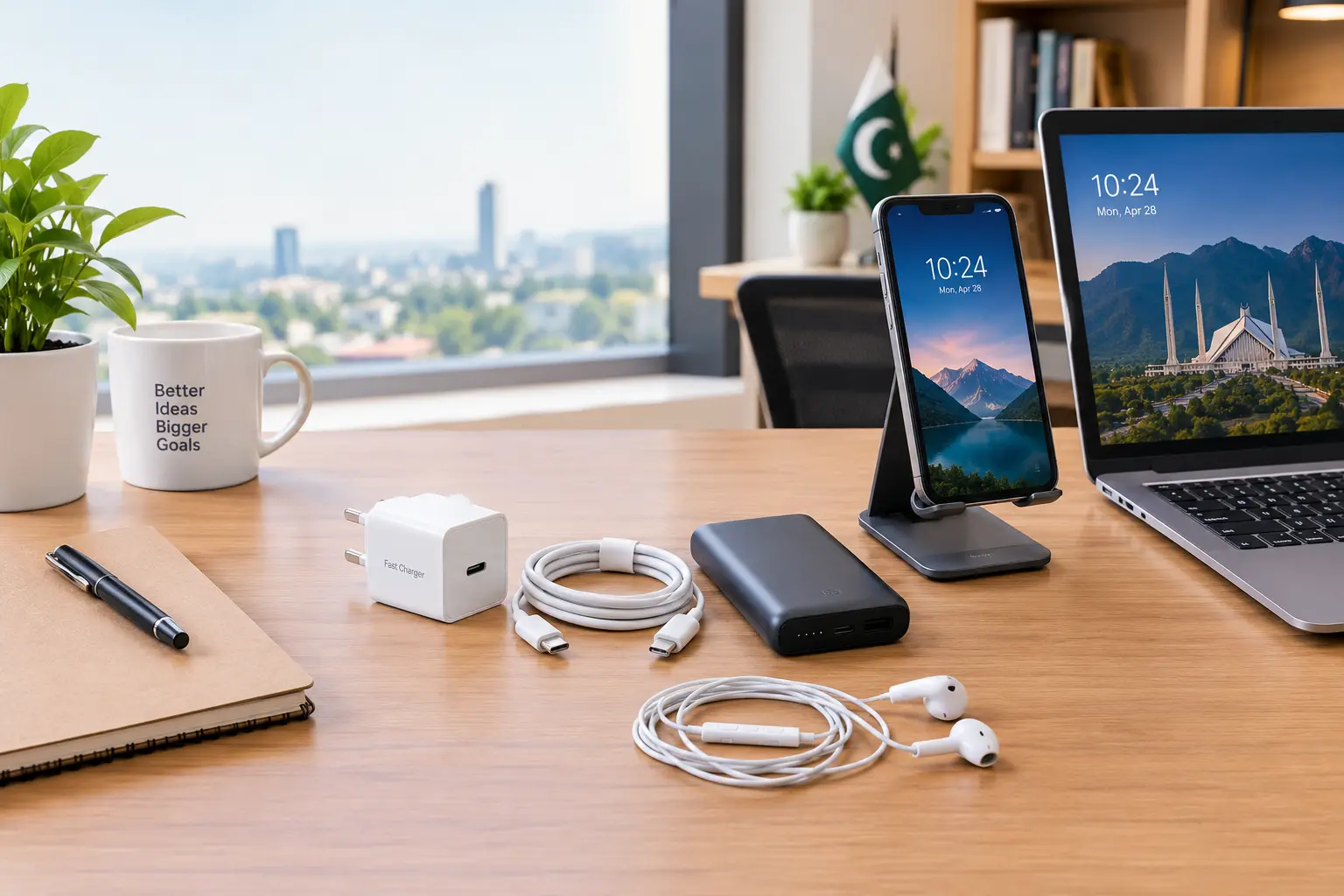
Best phone accessories for office workers including charger, cable, power bank and handsfree on an office desk

Best Phone Accessories for Office Workers

Introduction

For office workers, a smartphone is more than a device for calls and messages. It is often used for emails, WhatsApp, video meetings, documents, calendars, payments, navigation, and quick work tasks throughout the day. The right phone accessories can make this daily routine more comfortable, organised, and reliable.

The best phone accessories for office workers are not necessarily the most expensive ones. A good charger, reliable charging cable, comfortable handsfree, power bank, phone stand, and suitable protective accessories can solve common problems such as low battery, tangled cables, poor audio, uncomfortable video calls, and an untidy desk.

This guide explains which accessories are genuinely useful for office professionals, what features to check before buying, and how to choose accessories that match your phone and working routine—especially when buying in Pakistan.

Why Office Workers Need the Right Phone Accessories

Office work often means spending several hours with your phone nearby. A weak charging setup or uncomfortable accessory can become a daily frustration.

For example:

  • Your phone battery may run low during an important workday.
  • A poor-quality cable may charge slowly or stop working.
  • Speakerphone audio may not be suitable for calls in a shared office.
  • Holding the phone during long video calls can be uncomfortable.
  • A messy charging cable can make your desk look untidy.
  • Travelling between home, office, and meetings may require a portable charging solution.

Instead of buying accessories randomly, focus on the problems you actually face.

1. Fast Charger

A reliable fast charger is one of the most useful phone accessories for an office worker.

If you frequently arrive at work with a low battery, a compatible fast charger can help you add useful battery power during a lunch break, meeting gap, or short period at your desk.

What to check before buying

Look for:

  • Compatibility with your phone
  • Appropriate charging power
  • USB-C or another connector required by your device
  • Support for relevant charging standards
  • Good build quality
  • Safety and protection features
  • A suitable cable if one is not included

USB Power Delivery (USB PD) is an important charging technology used across many modern devices. USB-IF explains that USB PD allows devices and chargers to negotiate power according to requirements.

Do not assume that a charger is better simply because its wattage number is higher. Your phone determines how much power it can accept, and compatibility matters.

2. Reliable Charging Cable

A charger is only part of your charging setup. The cable is equally important.

Office workers who charge their phones every day should choose a cable that is appropriate for their device and intended use.

What makes a good charging cable?

Consider:

  • Connector type
  • Charging compatibility
  • Data-transfer requirements
  • Cable length
  • Build quality
  • Flexibility
  • Connector durability

One important point is that USB-C does not automatically mean the same performance for every cable. USB-IF notes that USB Type-C, USB Power Delivery, USB 3.2, and USB4 are different technologies and should not be treated as interchangeable.

If you only need charging, your requirements may be different from someone who regularly transfers large files between a phone and computer.

3. Handsfree or Earphones

For office workers, handsfree or earphones can be extremely useful for calls, online meetings, voice messages, and focused work.

A suitable pair can be especially helpful in an open office where using the phone’s speaker is inconvenient.

Things to consider

Before buying, check:

  • Microphone quality
  • Comfort for long calls
  • Wired or wireless connection
  • Phone compatibility
  • Battery life for wireless models
  • Controls for calls and volume
  • Fit and overall build quality

If you spend several hours on calls, comfort should be a priority rather than choosing only based on appearance.

4. Power Bank

A power bank is a practical accessory for employees who travel between different locations.

It can be useful when:

  • You attend meetings outside the office.
  • You travel to another city.
  • You spend long hours away from a wall socket.
  • Load shedding or limited charging points becomes an inconvenience.
  • You use mobile data heavily during the day.

When choosing a power bank, check its capacity, output options, charging compatibility, size, and weight.

A large-capacity model may provide more energy, but it can also be heavier. For everyday office use, the best choice is usually the one that balances capacity with portability.

5. Phone Stand

A simple phone stand can make a surprising difference to a desk setup.

Instead of leaving the phone flat on the desk, a stand can keep it visible and easier to access.

It can be useful for:

  • Video calls
  • Viewing notifications
  • Reading messages
  • Following a meeting
  • Watching tutorials
  • Checking a calendar
  • Keeping the phone in one fixed position while charging

A stand is particularly useful for people who use their phone alongside a laptop or desktop computer.

What to look for

Choose a stand that:

  • Holds the phone securely
  • Does not easily tip over
  • Supports your phone size
  • Allows comfortable viewing
  • Does not block the charging port when charging is needed

6. Phone Case

A phone case is not just a fashion accessory. It can help protect the device from everyday scratches, bumps, and accidental drops.

Office workers often carry their phones between desks, bags, meeting rooms, cars, and homes. A practical case can provide useful everyday protection without making the phone unnecessarily bulky.

When choosing one, consider:

  • Phone model compatibility
  • Grip
  • Material
  • Button access
  • Camera protection
  • Port access
  • Overall thickness

If you frequently put your phone in a pocket, slim protection may be more convenient. If your work involves more physical movement, you may prefer a more protective design.

7. Screen Protector

A screen protector is another simple accessory that can help protect your phone’s display from scratches and everyday wear.

When buying one, make sure it is designed for your exact phone model. A poor fit can interfere with touch sensitivity, cases, or the front camera area.

Do not buy only because a package uses impressive marketing terms. Check whether the protector is actually compatible with your device and whether it fits properly.

8. Multi-Port Charger

If you regularly charge more than one device at your desk, a multi-port charger can reduce cable and adapter clutter.

For example, an office worker may need to charge:

  • Smartphone
  • Wireless earbuds
  • Smartwatch
  • Secondary phone
  • Other USB-powered accessories

Instead of keeping several separate chargers on the desk, a suitable multi-port charger can provide a more organised setup.

However, check the charger’s total output and how power is distributed when several devices are connected. A charger with multiple ports does not necessarily provide the same maximum output to every connected device.

9. Car Charger

For office workers who commute by car, a reliable car charger can be useful.

It is particularly practical when your phone is used for:

  • Navigation
  • Calls
  • Music
  • Mobile data
  • Work communication

Choose a charger that is compatible with your phone and vehicle’s charging setup. If you use navigation frequently, keeping the phone charged during the journey can be more convenient than waiting until you reach the office.

10. Wireless Charging Accessories

Wireless charging can make a desk setup more convenient by reducing the need to plug and unplug a cable repeatedly.

However, wireless charging is not automatically the best choice for every user.

Consider it if you:

  • Keep your phone at one desk for long periods.
  • Prefer a cable-free setup.
  • Frequently place your phone down and pick it up.
  • Have a compatible phone and charger.

Check your phone’s supported charging technology and the charger’s specifications before purchasing.

Best Phone Accessories for Different Office Needs

Office needRecommended accessoryWhat to prioritise
Low battery during workFast chargerCompatibility and appropriate power
Daily chargingCharging cableDurability and correct connector
Frequent callsHandsfree/earphonesMicrophone and comfort
Business travelPower bankPortability and capacity
Video meetingsPhone standStability and viewing angle
Everyday protectionPhone caseFit and protection
Screen protectionScreen protectorExact model compatibility
Multiple devicesMulti-port chargerPort selection and power distribution
Daily commutingCar chargerCompatibility and reliable charging
Cable-free deskWireless chargerDevice compatibility

How to Choose the Right Phone Accessories

You do not need every accessory listed above. Start with your actual daily needs.

Step 1: Identify your biggest problem

Ask yourself:

  • Is battery life my main problem?
  • Do I make many calls?
  • Do I travel frequently?
  • Do I need a cleaner desk?
  • Do I use my phone during online meetings?
  • Am I worried about accidental damage?

Your answer will tell you which accessory should come first.

Step 2: Check your exact phone model

Compatibility is one of the most important things to check before buying.

The connector, charging technology, case dimensions, screen protector size, and supported charging power can vary between phone models.

Step 3: Check charging requirements

Do not choose a charger simply because it has a large wattage number.

Check what your phone supports and whether the charger uses a compatible charging standard.

For example, Apple states that iPhone 15 and later use USB-C, and compatible USB-C power adapters can be used for charging. Apple also recommends a 20W or higher USB-C power adapter for faster charging on supported iPhones.

Step 4: Consider your working environment

An accessory that is perfect for a home office may not be ideal for someone who spends most of the day travelling.

For a fixed desk, a phone stand and multi-port charger may be more useful.

For a travelling professional, a compact charger, power bank, and durable cable may be a better combination.

Common Mistakes to Avoid

Buying only because something is cheap

The lowest price does not always mean the best value. Accessories used every day should be selected for compatibility, reliability, and suitability.

Buying a charger without checking compatibility

A charger should match your device’s charging requirements.

Ignoring cable quality

A good charger paired with an unsuitable or damaged cable can create an unreliable charging experience.

Buying the wrong phone case

Always check the exact phone model before ordering a case.

Carrying too many accessories

More accessories do not automatically mean a better setup. Choose the items that solve real problems.

Ignoring portability

If you travel regularly, a bulky accessory may stay at home instead of being useful when you actually need it.

A Practical Office Phone Accessory Kit

For many office workers, a simple setup can include:

  1. A compatible fast charger
  2. A reliable charging cable
  3. Comfortable handsfree or earphones
  4. A compact power bank
  5. A phone stand
  6. A protective phone case
  7. A screen protector

You can add a car charger, multi-port charger, or wireless charging accessory depending on your routine.

The goal is not to build the biggest collection. It is to create a setup that makes your working day easier.

Shop Mobile & Computer Accessories

If you are looking for chargers, charging cables, handsfree, power banks, phone accessories, and other technology products, you can explore the relevant categories at Siyal Mobile.

Before buying, check your phone model and the specifications of the accessory you need. This is especially important for chargers, cables, cases, and screen protectors.

Follow Siyal Mobile on Social Media

Stay updated with the latest mobile accessories, computer accessories, product updates, useful tips, deals, and technology content from Siyal Mobile. Follow us on social media:

FAQs

What are the most useful phone accessories for office workers?

The most useful accessories for many office workers include a compatible fast charger, reliable charging cable, handsfree or earphones, power bank, phone stand, protective case, and screen protector.

Which charger is best for an office worker?

The best charger depends on the phone and its supported charging technology. Check your phone’s charging requirements and choose a compatible charger rather than selecting only by wattage.

Is a power bank useful for office workers?

Yes. A power bank can be particularly useful for workers who travel, attend meetings outside the office, commute long distances, or do not always have access to a wall socket.

Are USB-C cables all the same?

No. USB-C describes the connector and related specifications, but USB-C cables can support different data and power capabilities. USB-IF specifically notes that USB Type-C, USB Power Delivery, USB 3.2 and USB4 are not interchangeable terms.

Should office workers use a phone stand?

A phone stand can be useful for video calls, viewing notifications, reading messages, checking calendars, and keeping the phone visible while working.

What should I check before buying a phone accessory?

Check your exact phone model, connector type, charging requirements, compatibility, physical dimensions, build quality, and whether the accessory suits your daily working routine.

Is a fast charger safe for a phone?

A compatible charger designed for the phone’s charging requirements can be used safely. Do not assume that a higher wattage automatically means faster charging; the phone and charger must support the relevant charging technology.

Do I need every accessory mentioned in this guide?

No. Start with the accessories that solve your actual problems. For many office workers, a good charger, cable, handsfree, and power bank are more useful than buying a large collection of accessories.

Posted on — Leave a comment

Best Mobile Accessories for Travelers in Pakistan

Best mobile accessories for travelers in Pakistan
Essential mobile accessories for convenient and connected travel in Pakistan.

Best Mobile Accessories for Travelers in Pakistan

Traveling becomes much easier when your smartphone is properly equipped. Whether you’re going on a family trip, business journey, university tour, road trip, or visiting another city in Pakistan, your phone can help with navigation, communication, tickets, online bookings, photography, payments, and entertainment.

But frequent travel also creates a few problems: limited access to power outlets, low battery, tangled cables, accidental drops, and difficulty keeping accessories organised.

That’s why choosing the best mobile accessories for travelers in Pakistan can make your journey more convenient and less stressful.

In this guide, we’ll cover the most useful travel accessories for your smartphone, what to look for before buying them, common mistakes to avoid, and how to create a practical travel tech kit without spending money on unnecessary gadgets.


Why Mobile Accessories Are Important for Travelers

Your smartphone can become one of your most important travel tools. You may use it for:

  • GPS navigation
  • Calling and messaging
  • Online bookings
  • Digital tickets
  • Taking photos and videos
  • Checking maps
  • Mobile banking
  • Entertainment
  • Translation
  • Finding nearby businesses
  • Staying in contact with family

A dead battery or damaged charging cable can become a serious inconvenience when you’re away from home.

A small collection of reliable accessories can therefore provide valuable backup during your journey.


1. Power Bank

A power bank for travel is one of the most useful accessories you can carry.

When traveling, you may spend several hours away from a convenient power outlet. Navigation, mobile data, photography, and video streaming can also increase battery usage.

A power bank provides backup power when you need it.

What should travelers look for in a power bank?

Consider:

  • Suitable capacity for your phone
  • Charging output
  • USB-C support
  • Number of ports
  • Size and weight
  • Build quality
  • Safety protections
  • Compatibility with your devices

A larger capacity isn’t automatically better. A very large power bank can add unnecessary weight to your luggage.

Pros

  • Provides emergency battery backup
  • Useful during road trips
  • Helpful when traveling between cities
  • Can charge compatible devices away from a power outlet

Cons

  • Needs to be charged before travelling
  • Adds weight to your bag
  • Cheap models may offer unreliable performance

Travel tip: Charge your power bank before leaving home rather than waiting until your phone battery is already low.


2. Fast Charger

A reliable fast charger for travel can save valuable time.

During a journey, you might only have a short opportunity to charge your phone at a hotel, restaurant, airport, office, or rest stop. A compatible fast charger can make better use of that available time.

However, don’t buy a charger based only on a large wattage number.

Check these features:

  • Phone compatibility
  • Supported charging technology
  • Output wattage
  • USB-C or USB-A connection
  • Cable compatibility
  • Safety features
  • Manufacturer quality

The charging speed your phone actually achieves depends on the phone, charger, cable, and supported charging technology.


3. Durable Charging Cable

A charging cable is easy to overlook, but it is one of the most important items in a travel bag.

Travelers regularly bend cables, store them in backpacks, and connect and disconnect them multiple times throughout the day.

A durable cable can be a better investment than carrying several low-quality replacement cables.

Look for:

  • Strong connectors
  • Flexible construction
  • Appropriate length
  • Correct connector for your phone
  • Charging capability
  • Data-transfer support when required

If you transfer photos or files while travelling, make sure the cable supports the required data-transfer functionality.


4. Handsfree or Wireless Earbuds

Handsfree and wireless earbuds are useful during long journeys.

You can use them for:

  • Music
  • Podcasts
  • Educational content
  • Phone calls
  • Navigation instructions
  • Movies
  • Online meetings

Wired handsfree

Wired handsfree is often a practical choice for travelers on a budget.

Advantages:

  • Usually affordable
  • No separate charging required
  • Simple to use

Disadvantages:

  • Cable can become tangled
  • Connector compatibility varies between devices

Wireless earbuds

Wireless earbuds provide greater freedom from cables and are easy to carry.

Before travelling, remember to charge both the earbuds and their charging case.


5. Phone Case

A protective phone case becomes even more important when travelling.

Your phone may be exposed to:

  • Crowded places
  • Bags and backpacks
  • Accidental drops
  • Hard surfaces
  • Everyday bumps
  • Dust and scratches

Choose a case designed specifically for your phone model.

Important features

  • Proper model compatibility
  • Good corner protection
  • Comfortable grip
  • Raised edges around the display
  • Camera protection
  • Easy access to buttons and ports

A protective case doesn’t guarantee that a phone won’t be damaged, but it can provide useful protection against everyday accidents.


6. Tempered Glass Screen Protector

Travel can increase the chances of your phone being scratched or accidentally dropped.

A tempered glass screen protector can provide an additional layer of protection against everyday scratches and minor impacts.

When buying one, make sure it matches your exact smartphone model.

Check:

  • Correct screen size
  • Proper camera/sensor cut-outs
  • Touch sensitivity
  • Case compatibility
  • Installation quality

For travelers, combining a suitable case with a screen protector is a practical way to protect a valuable smartphone.


7. Car or Bike Phone Holder

A phone holder can be useful for travelers who drive long distances.

It can help position the phone where navigation information is easier to see without having to hold the device.

Important safety reminder

Never operate or interact with your phone while driving or riding.

Set up navigation before starting your journey and use a suitable hands-free setup that does not distract you.

For passengers, a phone holder can also be useful for watching content or following a route.


8. USB Flash Drive and OTG Adapter

Travelers sometimes need to move photos, videos, documents, or other files between devices.

A USB flash drive can provide convenient portable storage, while an OTG adapter may allow a compatible smartphone to connect with a USB drive.

This can be particularly useful for:

  • Students
  • Photographers
  • Business travelers
  • Office workers
  • People carrying important documents

Before buying an OTG adapter, confirm that your smartphone supports USB OTG and uses the appropriate connector.


9. Multi-Port Charger

If you’re traveling with multiple devices, carrying several individual chargers can quickly fill your bag.

A suitable multi-port charger can potentially reduce the number of chargers you need to carry.

For example, you might travel with:

  • Smartphone
  • Wireless earbuds
  • Smartwatch
  • Power bank
  • Tablet

Instead of taking several separate charging adapters, a compatible multi-port charger may simplify your setup.

Before buying

Check:

  • Number of ports
  • Port types
  • Total output
  • Individual port output
  • Device compatibility
  • Safety features

Don’t assume every port provides the same charging speed.


10. Cable Organizer

A cable organizer isn’t an electronic device, but it can make a major difference to your travel setup.

Instead of putting cables, adapters, earbuds, and memory devices loose inside your bag, an organizer keeps them together.

This helps reduce:

  • Tangled cables
  • Lost accessories
  • Unnecessary searching
  • Damage caused by loose items

For frequent travelers, simple organisation can be just as valuable as buying new technology.


11. Bluetooth Speaker

A compact Bluetooth speaker can be useful during certain types of trips.

It can be suitable for:

  • Family trips
  • Outdoor gatherings
  • Hotel rooms
  • Small group activities
  • Personal entertainment

For travel, don’t focus only on maximum volume.

Consider:

  • Compact size
  • Battery life
  • Sound quality
  • Bluetooth reliability
  • Build quality

A lightweight speaker is generally easier to pack than a large model.


12. Phone Stand

A small foldable phone stand can be surprisingly useful when traveling.

It can help when:

  • Watching videos in a hotel
  • Making video calls
  • Following a recipe
  • Reading documents
  • Watching travel information
  • Using the phone at a desk

A foldable design is particularly convenient because it takes up little space in a travel bag.


13. Universal Travel Adapter

A universal travel adapter can be useful for international travelers because electrical socket types vary between countries.

If you’re traveling outside Pakistan, check the electrical plug and power requirements of your destination before purchasing an adapter.

For domestic travel within Pakistan, you may not need a universal adapter if your existing chargers are compatible with the available outlets.

Always consider the electrical specifications of your devices and destination.


Best Mobile Accessories for Travelers on a Budget

You don’t need to buy every travel gadget available.

If you have a limited budget, start with the accessories that solve the biggest problems.

PriorityAccessoryMain Benefit
1Power bankBattery backup
2Fast chargerFaster charging
3Charging cableReliable daily charging
4Phone caseProtection
5Tempered glassScreen protection
6HandsfreeCalls and entertainment
7Cable organizerKeeps accessories organised
8Phone holderConvenient navigation
9OTG adapterFile/device connectivity
10Phone standHands-free viewing

Your ideal travel kit depends on how frequently you travel and what devices you carry.


How to Choose the Best Travel Mobile Accessories

1. Check Compatibility

Before buying any accessory, check whether it works with your phone.

This is particularly important for:

  • Chargers
  • Cables
  • Phone cases
  • Screen protectors
  • OTG adapters
  • Wireless accessories

2. Prioritise Quality

Travel accessories are often used repeatedly and carried in bags. A durable product can be more useful than the cheapest option.

3. Consider Size and Weight

Travel is different from everyday use.

A product that works well at home may be inconvenient if it takes up too much luggage space.

4. Check Charging Specifications

Don’t assume that every fast charger or cable provides the same charging performance.

Check your phone’s supported charging technology and use compatible accessories.

5. Think About Your Destination

A person traveling from Lahore to Islamabad may need a different setup from someone taking an international trip.

Think about:

  • Travel duration
  • Access to electricity
  • Transportation
  • Number of devices
  • Destination
  • Type of activities
  • Storage requirements

Common Mistakes When Buying Travel Accessories

Buying Too Many Accessories

More gadgets don’t necessarily make traveling easier.

Only carry accessories that solve a real problem.

Choosing the Cheapest Charger

Price is important, but reliability and compatibility should also be considered.

Forgetting the Charging Cable

A power bank without a suitable cable isn’t very useful.

Always check your complete charging setup before leaving.

Buying the Wrong Phone Case

Phone cases are model-specific. Confirm your exact smartphone model before ordering.

Not Charging Everything Before Departure

Charge your:

  • Phone
  • Power bank
  • Wireless earbuds
  • Smartwatch
  • Other rechargeable devices

before beginning your journey.

Carrying Loose Cables

Loose cables can become tangled or damaged. A small organizer can make your bag much easier to manage.


A Simple Travel Tech Kit for Pakistan

For most domestic travelers, a practical setup could include:

Essential

  • Smartphone
  • Fast charger
  • Charging cable
  • Power bank
  • Protective case
  • Tempered glass

Useful Extras

  • Handsfree or earbuds
  • Cable organizer
  • Phone stand
  • Car phone holder
  • OTG adapter
  • USB flash drive

For Frequent or International Travelers

  • Multi-port charger
  • Universal travel adapter
  • Additional charging cable
  • Compact Bluetooth speaker
  • Extra storage

You can build your kit gradually rather than purchasing everything at once.


Traveling With Multiple Devices

If you travel with a smartphone, tablet, laptop, earbuds, smartwatch, and power bank, organisation becomes even more important.

Instead of carrying separate chargers for everything, check whether a suitable multi-port charging setup can safely support your devices.

Create a simple checklist before leaving:

  1. Phone charged
  2. Power bank charged
  3. Charger packed
  4. Cable packed
  5. Earbuds charged
  6. Important files backed up
  7. Required adapters packed

This simple routine can prevent many avoidable problems during a trip.


Shop Mobile & Computer Accessories at Siyal Mobile

Finding the right travel accessories doesn’t mean buying the most expensive gadgets.

Choose accessories based on your devices, destination, travel duration, and actual requirements.

You can explore relevant mobile and computer accessories through Siyal Mobile and select products that fit your travel setup.


Follow Siyal Mobile on Social Media

Stay updated with the latest mobile accessories, computer accessories, product updates, useful tips, deals, and technology content from Siyal Mobile. Follow us on social media:

Posted on — Leave a comment

Best Mobile Accessories for Students in Pakistan

Best mobile accessories for students in Pakistan

Best Mobile Accessories for Students in Pakistan

Students rely on their smartphones for much more than calls and social media. From online classes and assignments to taking notes, attending video lectures, managing documents, communicating with classmates, and staying connected with teachers, a smartphone has become an important part of student life.

However, using a phone every day can be much easier with the right accessories. The best mobile accessories for students in Pakistan should be practical, durable, affordable, and useful for studying—not simply expensive gadgets.

In this guide, we’ll look at the most useful mobile accessories for students, what features to consider before buying them, common mistakes to avoid, and which accessories are worth prioritising when you have a limited budget.

Best Mobile Accessories for Students in Pakistan

Here are some of the most useful accessories students should consider:

  1. Power bank
  2. Fast charger
  3. Durable charging cable
  4. Wired or wireless handsfree
  5. Phone stand
  6. Protective phone case
  7. Tempered glass
  8. USB flash drive
  9. OTG adapter
  10. Car or bike phone holder
  11. Bluetooth speaker
  12. Wireless keyboard and mouse

You don’t necessarily need all of them. The right combination depends on your studies, smartphone, budget, and daily routine.


1. Power Bank

A power bank can be extremely useful for students who spend long hours at college, university, tuition centres, libraries, or travelling between home and campus.

If your phone battery runs out while you’re attending an online class, checking notes, contacting someone, or using maps, a power bank can provide backup power.

What to look for in a student power bank

Consider:

  • Suitable battery capacity for your phone
  • Reliable charging output
  • USB-C support where appropriate
  • Multiple charging ports if you need to charge more than one device
  • Compact and portable design
  • Safety and protection features
  • A reputable manufacturer

A very large power bank isn’t always the best choice for students because it can add unnecessary weight to a backpack.

Pros

  • Useful during long university days
  • Provides emergency charging
  • Can be used while travelling
  • Useful when electricity isn’t readily available

Cons

  • Adds weight to your bag
  • Requires charging itself
  • Cheap, poor-quality models may not perform reliably

2. Fast Charger

A reliable charger is one of the most important mobile accessories for students.

Students often have limited time between classes, study sessions, and other activities. A compatible fast charger can reduce the amount of time required to recharge a supported smartphone.

However, don’t choose a charger simply because it has a high wattage number.

Check these features before buying

  • Your phone’s supported charging standard
  • Output wattage
  • USB-C or USB-A connection
  • Cable compatibility
  • Manufacturer quality
  • Safety protections

Using an incompatible or poor-quality charger can potentially cause charging problems.

If you’re buying a fast charger, always check your phone manufacturer’s specifications first.


3. Durable Charging Cable

A charging cable is one of those accessories students use almost every day.

Cables are frequently placed in backpacks, pulled from charging ports, bent, and used in different locations. That’s why durability matters.

A good student charging cable should have:

  • Strong connectors
  • Appropriate length
  • Good flexibility
  • Compatibility with your phone
  • Data-transfer support if required
  • Suitable charging capability

A cable that supports charging but doesn’t provide the data-transfer capability you need may not be suitable for transferring files between your phone and computer.


4. Handsfree or Earphones

Handsfree can be particularly useful for students who listen to lectures, educational videos, podcasts, language lessons, or participate in online meetings.

Both wired and wireless options have advantages.

Wired handsfree

Advantages:

  • Usually affordable
  • No battery charging required
  • Simple plug-and-use operation
  • Useful for students on a budget

Disadvantages:

  • Cable can become tangled
  • Connector compatibility can vary

Wireless earbuds

Advantages:

  • Convenient
  • No cable around your neck
  • Easy to carry
  • Useful for commuting and studying

Disadvantages:

  • Need charging
  • Usually cost more than basic wired options
  • Bluetooth compatibility and battery life should be considered

For students with a limited budget, a good-quality wired handsfree can still be a very practical choice.


5. Phone Stand

A phone stand is a simple accessory that can make studying more comfortable.

Instead of constantly holding your phone while watching a lecture or reading notes, you can place it at a suitable viewing angle on your desk.

A phone stand can be useful for:

  • Online lectures
  • Video tutorials
  • Reading notes
  • Video calls
  • Watching educational content
  • Using your phone alongside a laptop

Buying tip

Look for a stand that is stable and compatible with your phone size and case.


6. Protective Phone Case

Students carry their phones around throughout the day, often inside bags or pockets with other items.

A protective case can help reduce the risk of scratches and damage from everyday bumps and minor drops.

When choosing a case, consider:

  • Phone model compatibility
  • Corner protection
  • Button accessibility
  • Grip
  • Material quality
  • Compatibility with wireless charging, if applicable

Avoid buying a case only because it looks attractive. Protection and proper fit should come first.


7. Tempered Glass Screen Protector

A screen protector is another inexpensive accessory that can help protect a smartphone display from scratches and everyday wear.

A good screen protector should fit the exact phone model and allow normal touchscreen operation.

Case + tempered glass = better everyday protection

Using both a suitable phone case and screen protector can provide more complete protection than using either one alone.

However, no screen protector or case guarantees that a phone will never be damaged.


8. USB Flash Drive

A USB flash drive can still be useful for students who frequently work with documents, presentations, PDFs, assignments, and other files.

Students can use flash drives to transfer files between compatible computers and other devices.

Consider these features

  • Storage capacity
  • USB connector type
  • Transfer speed
  • Compatibility with your devices
  • Build quality

If you frequently move files between a smartphone and a flash drive, you may also need an appropriate OTG adapter.


9. OTG Adapter

An OTG adapter can allow compatible smartphones to connect with USB devices such as flash drives, keyboards, mice, and other peripherals.

For example, a student might use an OTG connection to transfer files from a USB drive to a compatible smartphone.

Before purchasing one, check whether your smartphone supports USB OTG and which connector it uses.


10. Phone Holder for Students Who Travel

Students who travel to college or university by car, bike, or other transport may find a suitable phone holder useful.

A phone holder can make navigation easier when used appropriately.

Important safety point

Never use a phone in a way that distracts you while driving or riding. Set up navigation before travelling and follow local road-safety rules.


11. Bluetooth Speaker

A small Bluetooth speaker can be useful for students who share educational content with classmates, listen to presentations, or use audio content in suitable environments.

For most students, portability and battery life are more important than having an extremely powerful speaker.

If you’re buying one primarily for studying, focus on:

  • Clear sound
  • Battery life
  • Compact size
  • Bluetooth reliability
  • Build quality

12. Wireless Keyboard and Mouse

Students who use tablets or compatible mobile devices for writing and productivity may benefit from a keyboard and mouse.

They’re particularly useful for:

  • Typing documents
  • Writing assignments
  • Working with spreadsheets
  • Browsing
  • Productivity tasks

For students who already have a laptop or desktop computer, a good keyboard and mouse can also improve the overall study setup.


Which Mobile Accessories Should Students Buy First?

You don’t need to buy everything at once.

If your budget is limited, prioritise accessories according to how frequently you’ll use them.

PriorityAccessoryWhy it’s useful
1Charging cableDaily charging and data transfer
2Fast chargerConvenient everyday charging
3Phone caseEveryday protection
4Tempered glassScreen protection
5HandsfreeClasses, calls and audio
6Power bankBackup charging
7Phone standOnline learning and desk study
8OTG/USB driveFile management
9Keyboard & mouseProductivity
10Bluetooth speakerOptional entertainment/audio

The best choice depends on your individual needs.


How to Choose the Best Mobile Accessories on a Student Budget

Students don’t always have a large budget for accessories. Instead of buying the cheapest product available, consider value for money.

1. Check compatibility

Always check whether the accessory works with your exact phone model.

This is particularly important for:

  • Chargers
  • Charging cables
  • Cases
  • Tempered glass
  • OTG adapters
  • Wireless accessories

2. Don’t choose only based on price

An extremely cheap accessory may appear attractive initially, but poor durability can result in having to replace it repeatedly.

3. Check the specifications

For chargers and power banks, look at the actual specifications rather than relying only on marketing terms such as “super fast.”

4. Consider durability

Students often carry accessories in backpacks every day. Strong construction can be more valuable than an attractive design.

5. Buy according to your needs

If you spend most of your day near a charging point, you may not need a large power bank.

If you study primarily from your phone, a phone stand and handsfree may be more useful.


Common Mistakes Students Make When Buying Mobile Accessories

Buying an incompatible charger

Not every charger provides the same charging technology or output. Check compatibility before purchasing.

Buying the wrong phone case

Cases are model-specific. Even phones with similar designs may have different camera layouts, button positions, and dimensions.

Choosing the cheapest cable

Price should not be the only factor. Build quality and charging/data-transfer requirements matter.

Ignoring warranty or seller reliability

For electronic accessories, buying from a reliable seller can make it easier to deal with defective products.

Buying unnecessary accessories

A large collection of accessories isn’t necessarily better. Focus on products you’ll actually use.


Mobile Accessories for Online Classes

Online education has made smartphones even more useful for students.

If you regularly attend online classes from your phone, consider creating a simple study setup:

  • Smartphone
  • Phone stand
  • Handsfree or suitable earphones
  • Reliable charger
  • Charging cable
  • Power bank for backup
  • Stable internet connection

A phone stand can keep your screen at a comfortable angle while handsfree can make it easier to listen to lectures.


Best Accessories for University Students

University students often spend long hours away from home. A practical everyday accessory kit could include:

Essential kit:

  • Protective phone case
  • Tempered glass
  • Reliable charging cable
  • Fast charger
  • Handsfree

Travel/study kit:

  • Power bank
  • Phone stand
  • USB flash drive
  • OTG adapter

You can build your setup gradually rather than purchasing everything together.


Where to Buy Mobile Accessories in Pakistan?

When purchasing mobile accessories, consider product compatibility, specifications, quality, seller reliability, and return policies.

You can explore mobile and computer accessories through Siyal Mobile and choose products according to your phone, study requirements, and budget.

The goal should be to find accessories that provide genuine everyday value rather than simply purchasing the largest number of products.


Frequently Asked Questions

What are the best mobile accessories for students?

The most useful accessories for many students include a reliable charger, charging cable, protective case, tempered glass, handsfree, power bank, and phone stand. The best combination depends on individual study and travel needs.

Is a power bank useful for university students?

Yes. A power bank can provide backup charging when students spend long periods away from home or don’t have convenient access to a power outlet.

Which charger is best for students?

The best charger is one that is compatible with the student’s smartphone and supports its charging requirements. Check the manufacturer’s recommended charging specifications before purchasing.

Are wired or wireless earphones better for students?

Both can be useful. Wired earphones are often affordable and don’t require separate charging, while wireless earbuds offer greater convenience and portability.

Do students need a phone stand?

A phone stand isn’t essential, but it can be very useful for online classes, video lectures, reading, video calls, and studying from a desk.

Is a tempered glass screen protector necessary?

It’s not mandatory, but it can help protect a smartphone screen from scratches and everyday wear. Choose one designed for the exact phone model.

What mobile accessories should I buy on a low budget?

Start with essential accessories such as a reliable charging cable, compatible charger, phone case, tempered glass, and handsfree. Add a power bank or other accessories later if needed.

What should I check before buying mobile accessories online in Pakistan?

Check compatibility, specifications, product quality, seller reliability, return policy, and whether the accessory meets your actual requirements.


Conclusion

The best mobile accessories for students in Pakistan are not necessarily the most expensive ones. Students should focus on accessories that make studying, communication, travelling, and everyday smartphone use easier.

For most students, a reliable charger, durable charging cable, protective case, tempered glass, handsfree, and power bank are excellent starting points. Accessories such as phone stands, OTG adapters, USB drives, keyboards, and mice can then be added according to individual requirements.

Before buying, always check compatibility, specifications, build quality, and value for money. A small investment in the right accessories can make your smartphone much more useful throughout your student life.

Follow Siyal Mobile on Social Media

Stay updated with the latest mobile accessories, computer accessories, product updates, useful tips, and offers from Siyal Mobile. Follow us on social media: